
Work backwards from a sale or a qualified enquiry when you plan a Google Ads budget. Decide what that outcome is worth, estimate how many clicks it might take to get there, then add the costs of running the test. This gives you a budget you can compare with your margin and the amount you can afford to risk.
For a New Zealand small business, a useful first test might be one service in an area you can cover or one group of products with similar margins. The worksheet below helps you work out whether the numbers justify a test and what evidence would justify spending more.
Separate the costs in your proposal
- Ad spend. This is the amount paid to Google to run your ads. Confirm who pays Google, who controls the billing account and what spend has been approved.
- Initial setup. Budget for research, campaign structure, ads and assets, plus any initial tracking setup and verification included in the quote. An existing account can also need restructuring.
- Ongoing management. This pays for work such as reviewing search terms, checking budget and bidding decisions, refining ads, and reporting. Ask what is included and how often you will review results together.
- Separately scoped work. A landing page, checkout fixes, product-feed work, call tracking or CRM integration may need its own allowance. Check whether each cost is one-off or recurring and whether it is already covered elsewhere in the quote.
Work out the cash you need to pay during the test and the portion of any one-off work you want to include when judging its economics. If setup will serve several periods, record your allocation and still plan for the full invoice when it falls due. Compare figures on the same GST basis and check what is included on each quote or invoice.
Estimate demand and what a customer is worth
Click costs vary with the auction. A local installer bidding for urgent jobs in one city faces a different mix of searches and advertisers from a retailer shipping nationwide. The offer, location, season, relevance of the ad and quality of the landing page can all affect the traffic you receive. Use recent account data for the offer and location where you have it. For a new Search campaign, use Keyword Planner to build a location-specific range, then check it against what the business can afford. Google’s explanation of Ad Rank · Google’s Keyword Planner forecast guidance.
For a service business, define a qualified enquiry before launch. It might be a genuine request for an installation you offer, at an address you can serve, within a timeframe you can handle. Estimate how many qualified enquiries turn into paid jobs and what each job contributes after variable costs such as labour and materials. For an online store, start with retained sales after discounts and refunds, then allow for product cost, payment fees, packaging and any shipping you absorb.
Use first-sale contribution if repeat purchasing is uncertain. If you allow for repeat business, use evidence from comparable customers and consider when that money comes in. Leave room for overheads and the profit you need to earn. This helps you set an acquisition-cost ceiling below the amount a customer contributes.
Build a budget from your own assumptions
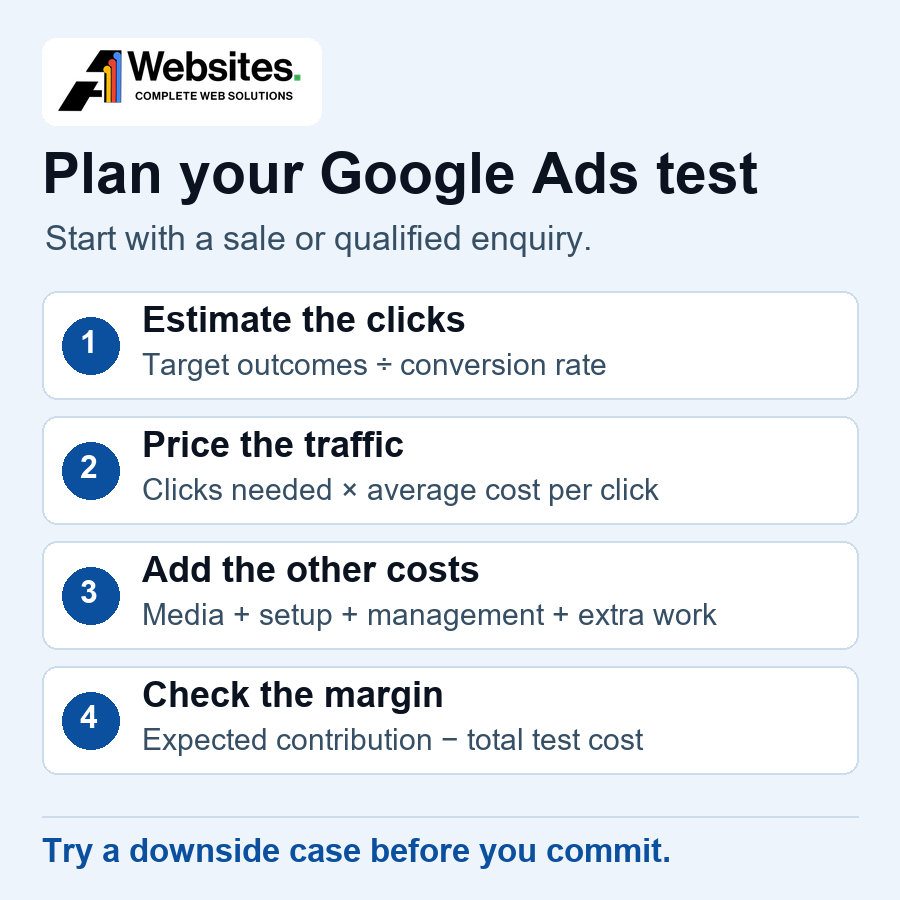
Pick the outcome you want to count, then estimate the share of clicks likely to produce it. If 8% of clicks produce an enquiry and half of those enquiries qualify, your assumed click-to-qualified-enquiry rate is 4%. Divide your target number of qualified enquiries by 4% to estimate the clicks needed. Multiply those clicks by your assumed average cost per click (CPC) to estimate media spend.
Run the same calculation with a higher CPC or a lower conversion rate. If the downside is unaffordable, narrow the offer or area, fix the page or tracking, or defer the test. A budget can buy traffic only where there is demand for the offer.
| Your input | What to write down |
|---|---|
| Offer, area and test period | One service or product group, where you sell it and when you will review. |
| Outcome and target | Qualified enquiries or retained paid orders, and how many would make the test useful. |
| Click and conversion assumptions | Expected CPC and a downside estimate. Include the qualification and close rates for leads. |
| Estimated media spend | Target outcomes ÷ click-to-outcome rate × average CPC. |
| Other test costs | Setup allocation, management and any landing-page, feed or tracking allowance. |
| Total test cost | Media spend plus the other test costs. Compare with expected contribution and note when invoices are due. |
| Spending ceiling and review | Contribution per paid job or retained order, the maximum you can risk and the point at which you will pause. |
Two hypothetical New Zealand budget examples
All advertising costs, conversion rates, management fees and financial outcomes in these examples are hypothetical planning assumptions. They are not A1 Websites quotations, current industry benchmarks or predicted results.
Figures are in NZ dollars, excluding GST. Both scenarios assume the stated media amount is spent during the test. Use your own cost and conversion estimates, and the actual management quote, when building your budget.
Nelson heat pump installer
An installer plans to test one Search campaign for installation enquiries in Nelson and Tasman. The worksheet assumes a NZ$4.50 CPC, an 8% enquiry rate, a 50% qualification rate and a 50% close rate on qualified enquiries. To model eight qualified enquiries at a 4% click-to-qualified rate, allow for 8 ÷ 0.04 = 200 clicks and 200 × NZ$4.50 = NZ$900 in media.
The test also allocates NZ$150 to initial tracking and landing-page work and NZ$300 to management, giving a total cost of NZ$1,350. Each completed, paid installation contributes NZ$425 after variable job costs. The downside keeps click cost and spend fixed and lowers the enquiry rate to 6%.
| Measure | 8% enquiry rate | 6% enquiry rate |
|---|---|---|
| Clicks | 200 | 200 |
| Enquiries | 16 | 12 |
| Qualified enquiries | 8 | 6 |
| Paid jobs | 4 | 3 |
| Contribution from jobs | NZ$1,700 | NZ$1,275 |
| After NZ$1,350 test cost | NZ$350 | −NZ$75 |
In the first case, the media cost per enquiry is NZ$900 ÷ 16 = NZ$56.25. The media cost per qualified enquiry is NZ$900 ÷ 8 = NZ$112.50, and the total cost per paid job is NZ$1,350 ÷ 4 = NZ$337.50. Specify which cost and outcome you mean when comparing proposals.
The test needs four whole jobs to cover its cost at NZ$425 each. Click cost is identical in the two cases, yet one covers the test cost and the other falls short before overheads. Review how many quotes become paid jobs before judging a recent batch of leads.
Christchurch online outdoor gear retailer
A retailer shipping across New Zealand tests a focused range through Shopping. Assume NZ$600 in media, NZ$2 per click and NZ$180 for the share of feed and management work charged to the test. That gives 300 clicks and a total test cost of NZ$780. A retained paid order brings in NZ$140 and contributes NZ$70 after variable costs.
| Measure | 3% order rate | 4% order rate |
|---|---|---|
| Clicks | 300 | 300 |
| Retained paid orders | 9 | 12 |
| Sales revenue | NZ$1,260 | NZ$1,680 |
| Revenue ÷ ad spend | 2.1× | 2.8× |
| Contribution from orders | NZ$630 | NZ$840 |
| After NZ$780 test cost | −NZ$150 | NZ$60 |
Return on ad spend (ROAS) here is sales revenue divided by media spend. Nine orders produce a 2.1× ROAS, but the NZ$630 left after variable costs falls NZ$150 short of the NZ$780 test cost. At NZ$70 contribution per order, the retailer needs 12 whole orders to cover the test. A reported ROAS can also change with the values sent to Google, so reconcile the figure with your own sales and refunds.
At nine orders, the other test costs use NZ$180 ÷ 9 = NZ$20 of contribution per order. That leaves NZ$50 per order available for ads before overheads and profit. The actual media cost in that scenario is NZ$600 ÷ 9 = NZ$66.67 per order.
Turn a monthly media budget into a daily setting
For most campaigns using an average daily budget, Google calculates the monthly spending limit by multiplying that budget by 30.4. On a single day, the usual limit is twice the average daily budget. A NZ$900 monthly media allowance works out to NZ$900 ÷ 30.4, or about NZ$29.60 per day if you round down to the cent. At that setting, the usual single-day limit is NZ$59.20.
This is a billing limit calculation, and actual spend can be lower. Mid-month launches, budget edits and some campaign arrangements use different rules. A short test that crosses a month boundary also needs a separate total spend check. Use the Google Ads budget report and keep track of the cumulative test spend you authorised. Google Ads spending limits and exceptions.
When a campaign total budget fits
For an eligible new campaign with a defined start and end date, you can set a single Google Ads budget for the whole run. Google adjusts the pace of spend across the remaining days. Billing is capped at the campaign total, with no separate daily limit. An average daily budget uses the daily and calendar-month limits above.
For eligible Search, Standard Shopping and Performance Max campaigns using a campaign total budget, Google recommends running the campaign for at least three days. The maximum duration is 90 days. Eligible Demand Gen and YouTube campaigns can run for up to a year. Choose the budget type when you create the campaign. Existing campaigns keep their current budget type. Google Ads guidance on campaign total budgets.
Choose where to concentrate a limited budget
For an installation or other service with clear search demand, start by testing whether a focused Search campaign can buy relevant enquiries. Agree the service, location and useful search intent. Review actual search terms and whether the landing page makes it easy to call or enquire. If the test already has too few clicks to compare against the worksheet, dividing the budget by location and service can leave every campaign with too little evidence.
For a store with a reliable Merchant Center feed and measured purchase values, start with products that are in stock and have enough margin. Compare Standard Shopping with Performance Max using your goals, product data and ability to review results. Performance Max can run across multiple Google channels, and its decisions rely on the goals, assets and data you supply. When we scope it at A1, we check which conversion actions or values would guide bidding and agree what the campaign should add to the account. A budget spread across Search, Shopping and Performance Max makes it harder to tell which test has gathered enough useful evidence. Google’s Shopping ads guide · Google’s Performance Max guide.
Use our guide to Google Ads campaign types to compare the options. If products are the starting point, check the feed, store and measurement requirements in our guide to Google Shopping ads before setting a budget.
Decide whether to increase, hold or reduce spend
Before launch, test a successful form submission or purchase on your own site in a way that keeps test activity out of the figures you use for decisions. Check which actions Google Ads uses for bidding, what GA4 records if you use it, and whether one enquiry or order can be counted twice. In a lead-generation review at A1, Marcus also checks which enquiries the business would actually quote or serve. For Shopping, we review whether pricing and stock in Merchant Center match the store before treating more budget as the next step. Google’s conversion measurement guidance.
Agree a review date and an overall spend ceiling before the test starts. Early in the test, check for broken tracking, irrelevant searches, unavailable products or slow follow-up. For the commercial decision, allow for the time between a click, a sale and its appearance in reporting. Use the latest completed cohort you can reconcile with your sales records. Google’s guidance on conversion lag.
- Increase spending when enough paid jobs or retained orders have come through to assess the economics, costs sit within the ceiling you agreed, and the business can handle extra demand. Agree the next review when you change the budget.
- Hold spending when results are still arriving or the sample is too small, provided the test is within the approved ceiling. Identify the missing evidence and the date you will decide.
- Reduce or pause when the spend cap is reached without sufficient evidence, tracking breaks, most leads fail your criteria or sales fail to cover costs. Fix the specific issue before extending the test.
A1’s Google Ads management service covers account reviews, campaign setup, tracking and ongoing optimisation. If you are weighing up a first test or reviewing an existing account, talk with Marcus about the offer, your margin and the amount you are comfortable testing.