
Start by checking whether the right customers can find accurate information about your business, understand your services and contact you successfully. A higher position is useful only when it helps bring enquiries for work you actually want.
This local SEO checklist is for Nelson and Tasman business owners, including businesses that visit customers rather than receive them at a shop or office. Work through it with your website open on a phone, access to your Google Business Profile and, if available, Google Search Console. Record the evidence, the next action and who owns it.
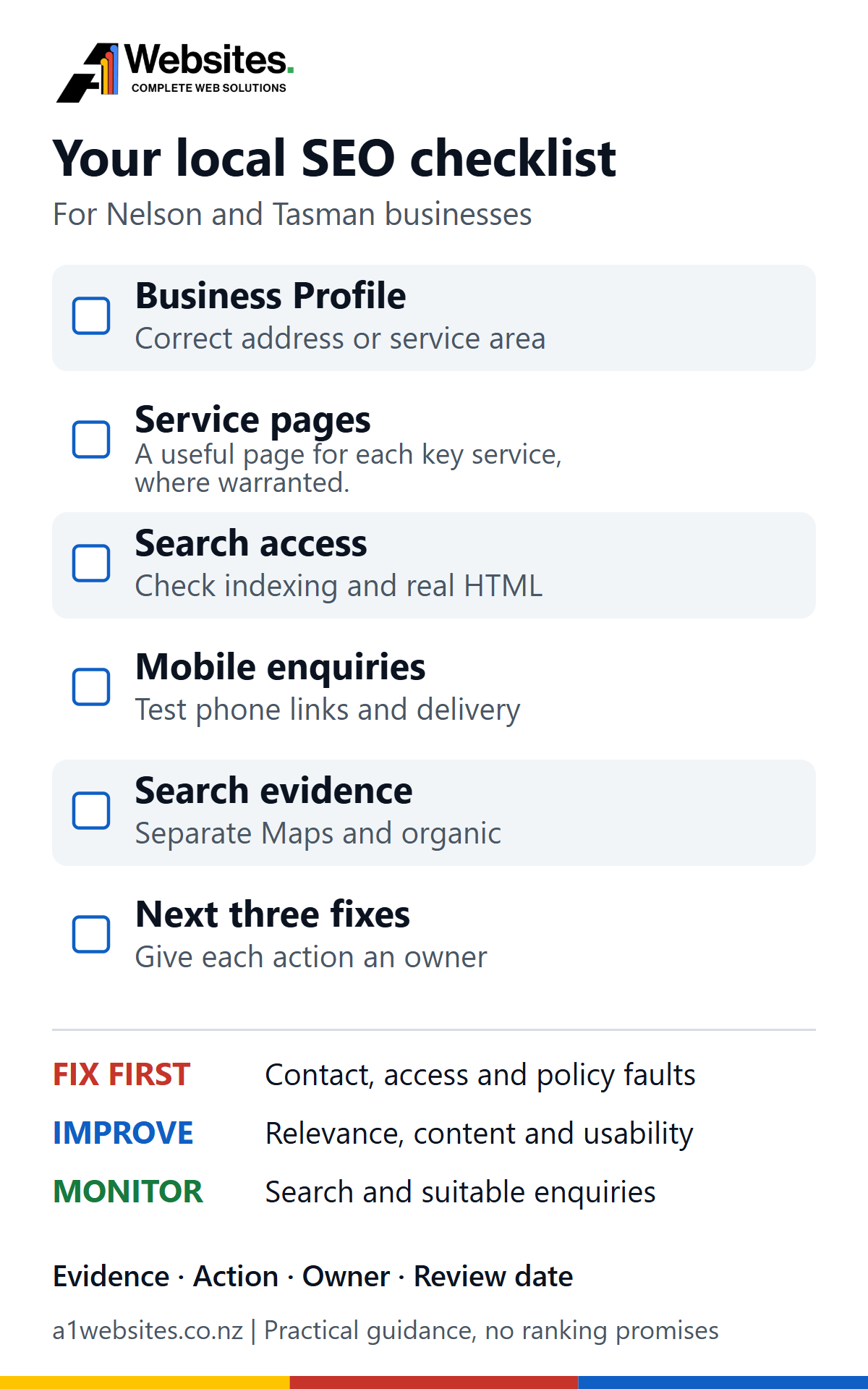
Start with the business and the customer location
Write down your main services, the places you genuinely serve and the jobs that are worth an enquiry. Be specific: a plumber who handles scheduled residential repairs has different priorities from a business that offers emergency call-outs around the clock.
Distinguish where you are based from where you travel. A business in Stoke might serve Nelson and Richmond regularly, but only take larger jobs in Motueka. Explain that honestly. Listing every town in the region does not make the business equally relevant to every customer.
Decide whether customers visit you or you visit them
Google generally requires in-person contact with customers during the business’s stated hours for Business Profile eligibility. Online-only businesses are ineligible, with limited exceptions set out in its eligibility guidelines.
- Customer-facing premises: display the real address when customers can visit and the premises meet Google’s requirements, including permanent business signage.
- Service-area business: if you visit or deliver to customers and do not serve them at your base, hide the address on the public profile and list the actual service area. A home used only for administration is not a customer-facing office.
- Hybrid business: a qualifying customer-facing premises that also visits or delivers to customers can show its address and service area.
Google allows up to 20 service areas, specified as cities, postcodes or other supported areas, rather than a radius. Its general guidance is an overall area within about two hours’ driving time of the base. Use realistic coverage; these are limits, not a target list. Check the service-area rules before changing the profile.
Do not use a rented mailing address as a pretend branch. Google excludes virtual offices where the business does not operate; a co-working office must meet its signage, staffing and customer-reception requirements. A single mobile business should not create another profile just because it serves another town. See Google’s business representation guidelines.
Check the Google Business Profile customers actually see
Open the public profile as well as its management view. Compare the phone number, website link, opening hours and location information with your website. Check holiday hours and whether the map pin directs visitors to the correct entrance when you have eligible premises. Make sure the owner retains access and the people managing the profile are authorised.
Choose accurate categories and services
Choose the available primary category that best describes the core business. Add only relevant secondary categories. Categories describe the business; they are not a list of every keyword you would like to rank for. Google notes that changing a category can require verification again, so avoid speculative changes without understanding the consequences. Follow its category guidance.
Where the services feature is available, describe the work you actually provide in plain language. For a trade business, distinguish repairs, installation and maintenance when those are separate services. Keep descriptions current and do not put prices or phone numbers in custom service names. Google’s services guidance explains the available fields.
Use real photos and a consistent review process
Use clear, current photos that help a customer recognise the premises, team or work. Obtain permission before showing a customer’s property or identifiable people. Remove misleading or obsolete imagery; do not expose private addresses, documents or vehicle details unnecessarily.
Invite genuine customers to leave an honest review, using the same approach regardless of whether you expect praise. Do not buy reviews, offer discounts for them or screen customers so that only happy ones reach Google. Reply helpfully without disclosing job or customer details. Google’s review policies prohibit incentives and selectively requesting positive reviews. There is no review-count threshold that guarantees a particular position.
Give each important service a useful destination
A visitor should be able to move from the homepage or navigation to a page explaining the service they need. That page should make clear what the work involves, who it is suitable for, the actual area served, relevant limitations and how to request help. Add genuine examples or project detail only where you have permission and evidence.
For a Nelson service business, useful local detail might include how site visits are arranged, which areas receive regular appointments and whether travel outside the usual area needs a separate quote. These details help a customer decide. A paragraph repeating town names does much less.
Map local keywords to page purposes
Write one main purpose beside each service page. A heat-pump repair page can naturally answer related repair queries without a separate page for every phrasing. The homepage can introduce the wider business while the service page supplies the detail.
Our guide to choosing SEO keywords explains how to connect customer questions with appropriate pages. Use it to decide what belongs on a service page and what deserves a separate explanatory article.
Before adding “plumber Richmond”, “plumber Brightwater” and “plumber Wakefield” pages, ask what changes for the customer on each page. If only the town name changes, improve the main service page and its coverage information first. A genuinely separate branch or a substantial location-specific service may justify its own page. Google’s doorway-abuse policy identifies substantially similar regional pages that funnel users to the same destination as a problem.
Check indexing and the on-page fundamentals
A useful page cannot help organic search if Google cannot access or index the intended version. In Search Console, inspect its full URL. Review the indexed status and Google-selected canonical, then use the live test to investigate current access or rendering problems. The live test does not establish which canonical Google will choose or guarantee indexing. Google’s URL Inspection guidance explains that distinction.
Ask your website specialist to investigate unintended noindex rules, login barriers, crawl restrictions, redirect problems or a canonical pointing at the wrong page. Do not remove protections from staging or private pages. Google must be able to crawl a page to see a noindex rule; blocking crawling in robots.txt is not a reliable substitute for removing a page from search. See Google’s noindex documentation.
Check the output as well as the editor
Review the visible main heading, supporting headings and the actual HTML title and description delivered by the site. A saved SEO field can differ from the public output because of theme behaviour, plugin problems or caching. In A1’s own website work, comparing saved settings with rendered HTML exposed a title-rendering fault. Checking only the editing screen would have missed it.
Give the page a clear main heading and use subheadings to organise real questions. Write a distinctive, descriptive SEO title and a meta description that accurately explains that page. Avoid headings chosen merely to make text larger. Google’s title-link guidance and snippet guidance explain that its displayed title and description may differ from your preferences.
Keep established URLs unless there is a clear reason to change them. A title edit usually does not require a new permalink. If pages need to be merged or moved, plan the redirects, internal links and canonical destinations before changing anything.
Try the whole enquiry journey on a phone
Start on a service page without being signed in. Open and close the menu, read the main content, use the phone link and find the enquiry form. Try a narrow screen and larger text. Check that a sticky header or banner does not cover controls and that important content is not cut off.
- Phone: tap the number and check that the dialler receives the correct number. Cancel the call if you are only testing the link.
- Form: check labels, required fields, error messages and confirmation. With the business’s permission, send one clearly labelled test and confirm delivery to the right inbox, including spam and reply handling.
- Clarity: explain what information the business needs and what happens next. Ask only for information needed to handle the enquiry.
- Loading: investigate delays that prevent someone reading, tapping or submitting. Prioritise the affected task rather than chasing a perfect test score.
A success message alone does not establish email delivery. A1’s own form verification has included checking the received message and Reply-To address. The same discipline helps distinguish a lack of demand from enquiries that are being lost after submission.
Separate Maps visibility from organic website performance
A Business Profile appearing in Maps or a local result is different from a website page appearing in the organic results. Record which one you are checking. Google describes local ranking in terms of relevance, distance and popularity; it also says businesses cannot pay for a better local ranking. See its local-ranking guidance.
A search from central Nelson can produce a different view from the same search in Richmond. Adding more service areas should not be treated as a way to remove distance from the equation. If you record a search manually, note the query, date, device, location and result type. A single screenshot is a snapshot, not proof of regional dominance.
Use Search Console to find useful website opportunities
In the correct Search Console property, open Performance for web search. Choose a period long enough to give your small business meaningful data, such as three months, and compare a similar previous period. Filter by New Zealand when useful, then inspect queries and the pages receiving those impressions.
- Find relevant demand: look for services you actually sell. A high-impression query is less useful if it describes work you do not undertake.
- Check the landing page: select the query and review the Pages tab. Does the page answer that need? Two pages appearing for one query is a reason to investigate, not automatic evidence that one must be deleted.
- Diagnose low clicks: inspect intent, title clarity, position and competing result features before rewriting. Zero clicks on a few impressions is weak evidence.
- Keep a change record: note what changed and when. Allow for reporting delays, recrawling, seasonality and any website migration before attributing an increase or decrease to one edit.
Clicks, impressions, click-through rate and average position describe different things. Average position is an aggregate, not a fixed rank for every person in Nelson; some query data is withheld. Use Google’s Performance report guidance to interpret the figures. Search Console is not a complete report of Business Profile activity or qualified enquiries.
Review Business Profile performance separately. Website clicks and call-button interactions are useful signals, but a button tap does not establish that a call connected or became a suitable job.
The practical local SEO checklist
Use P1 for a confirmed fault blocking contact, search access or accurate representation; P2 for a relevant improvement; and P3 for monitoring or a lower-impact enhancement. These are starting priorities. A broken feature matters most when it affects a real customer task.
| What to check | How to verify it | What to fix | Priority | Who should handle it |
|---|---|---|---|---|
| Profile eligibility and address | Compare how customers meet you with Google’s rules and the public profile. | Correct an ineligible location or exposed non-customer address; get advice if uncertain. | P1 if incorrect | Owner; profile specialist for a dispute |
| Service area | Compare listed areas with jobs you actually accept. | Remove unsupported coverage; do not create pretend branches. | P2 | Owner |
| Name, hours, phone and website | Open the public profile, its link and the website’s contact page. | Correct wrong details, broken destinations and outdated holiday hours. | P1 if misleading or broken | Owner |
| Categories and services | Compare profile fields with the business’s main work. | Select accurate available categories and describe genuine services. | P2 | Owner; SEO adviser if needed |
| Photos and reviews | Check accuracy, permissions and how review requests are sent. | Replace misleading photos and stop incentivised or selective requests. | P1 for policy problems; otherwise P2 | Owner or authorised manager |
| Service-page coverage | Try to find each important service from the menu or homepage. | Add useful service detail and a clear route to enquire. | P2 | Owner with writer or web specialist |
| Town and keyword duplication | Compare similar pages and their purpose. | Improve distinct value; plan consolidation and redirects before merging. | P2 | SEO and web specialist |
| Search access and indexing | Inspect important URLs in Search Console; check the live page. | Investigate unintended exclusions, errors and wrong canonicals. | P1 if an important page is wrongly blocked | SEO or web specialist |
| Titles and descriptions | Compare saved fields with delivered HTML. | Repair rendering faults and unclear or duplicate wording. | P2 | Owner for wording; specialist for output faults |
| Headings | Read the visible heading outline. | Use a clear main heading and descriptive subheadings. | P2 | Writer or web specialist |
| Mobile navigation and text | Use the menu, larger text and a narrow phone screen. | Remove obstructed controls, cut-off content and unreadable text. | P1 if tasks are blocked; otherwise P2 | Web specialist |
| Phone link | Tap it and inspect the dialler number without placing a call. | Correct the number and telephone link. | P1 if broken | Web specialist |
| Form delivery | Agree one labelled test; confirm receipt, spam and reply handling. | Repair validation, delivery or routing failures. | P1 if enquiries are lost | Owner with web or mail specialist |
| Loading and interaction | Repeat the customer task on a real phone and typical connection. | Investigate delays affecting reading or contact. | P2; escalate if unusable | Web specialist |
| Business details elsewhere | Check important existing local or industry listings. | Correct obsolete contact details; avoid bulk low-quality listings. | P2 for wrong contacts; otherwise P3 | Owner |
| Search evidence | Review relevant queries, pages and separate Profile performance. | Connect the finding to a useful page or customer task. | P2 | Owner with SEO adviser |
| Enquiry measurement | Compare recorded events with actual enquiries and job suitability. | Identify missing or duplicate events; exclude known tests from the review. | P2 | Owner with analytics specialist |
| Change and review record | Check for an owner, date and evidence against each action. | Assign the next three fixes and a review date. | P3 ongoing | Owner |
Profile eligibility and address
- How to verify it
- Compare how customers meet you with Google’s rules and the public profile.
- What to fix
- Correct an ineligible location or exposed non-customer address; get advice if uncertain.
- Priority
- P1 if incorrect
- Who should handle it
- Owner; profile specialist for a dispute
Service area
- How to verify it
- Compare listed areas with jobs you actually accept.
- What to fix
- Remove unsupported coverage; do not create pretend branches.
- Priority
- P2
- Who should handle it
- Owner
Name, hours, phone and website
- How to verify it
- Open the public profile, its link and the website’s contact page.
- What to fix
- Correct wrong details, broken destinations and outdated holiday hours.
- Priority
- P1 if misleading or broken
- Who should handle it
- Owner
Categories and services
- How to verify it
- Compare profile fields with the business’s main work.
- What to fix
- Select accurate available categories and describe genuine services.
- Priority
- P2
- Who should handle it
- Owner; SEO adviser if needed
Photos and reviews
- How to verify it
- Check accuracy, permissions and how review requests are sent.
- What to fix
- Replace misleading photos and stop incentivised or selective requests.
- Priority
- P1 for policy problems; otherwise P2
- Who should handle it
- Owner or authorised manager
Service-page coverage
- How to verify it
- Try to find each important service from the menu or homepage.
- What to fix
- Add useful service detail and a clear route to enquire.
- Priority
- P2
- Who should handle it
- Owner with writer or web specialist
Town and keyword duplication
- How to verify it
- Compare similar pages and their purpose.
- What to fix
- Improve distinct value; plan consolidation and redirects before merging.
- Priority
- P2
- Who should handle it
- SEO and web specialist
Search access and indexing
- How to verify it
- Inspect important URLs in Search Console; check the live page.
- What to fix
- Investigate unintended exclusions, errors and wrong canonicals.
- Priority
- P1 if an important page is wrongly blocked
- Who should handle it
- SEO or web specialist
Titles and descriptions
- How to verify it
- Compare saved fields with delivered HTML.
- What to fix
- Repair rendering faults and unclear or duplicate wording.
- Priority
- P2
- Who should handle it
- Owner for wording; specialist for output faults
Headings
- How to verify it
- Read the visible heading outline.
- What to fix
- Use a clear main heading and descriptive subheadings.
- Priority
- P2
- Who should handle it
- Writer or web specialist
Mobile navigation and text
- How to verify it
- Use the menu, larger text and a narrow phone screen.
- What to fix
- Remove obstructed controls, cut-off content and unreadable text.
- Priority
- P1 if tasks are blocked; otherwise P2
- Who should handle it
- Web specialist
Phone link
- How to verify it
- Tap it and inspect the dialler number without placing a call.
- What to fix
- Correct the number and telephone link.
- Priority
- P1 if broken
- Who should handle it
- Web specialist
Form delivery
- How to verify it
- Agree one labelled test; confirm receipt, spam and reply handling.
- What to fix
- Repair validation, delivery or routing failures.
- Priority
- P1 if enquiries are lost
- Who should handle it
- Owner with web or mail specialist
Loading and interaction
- How to verify it
- Repeat the customer task on a real phone and typical connection.
- What to fix
- Investigate delays affecting reading or contact.
- Priority
- P2; escalate if unusable
- Who should handle it
- Web specialist
Business details elsewhere
- How to verify it
- Check important existing local or industry listings.
- What to fix
- Correct obsolete contact details; avoid bulk low-quality listings.
- Priority
- P2 for wrong contacts; otherwise P3
- Who should handle it
- Owner
Search evidence
- How to verify it
- Review relevant queries, pages and separate Profile performance.
- What to fix
- Connect the finding to a useful page or customer task.
- Priority
- P2
- Who should handle it
- Owner with SEO adviser
Enquiry measurement
- How to verify it
- Compare recorded events with actual enquiries and job suitability.
- What to fix
- Identify missing or duplicate events; exclude known tests from the review.
- Priority
- P2
- Who should handle it
- Owner with analytics specialist
Change and review record
- How to verify it
- Check for an owner, date and evidence against each action.
- What to fix
- Assign the next three fixes and a review date.
- Priority
- P3 ongoing
- Who should handle it
- Owner
A hypothetical Nelson service-business example
Illustrative scenario only: this is a made-up mobile electrician based in Stoke, not an A1 client or a report of measured results. The business visits homes in Nelson, Richmond and Brightwater and does not receive customers at its home office.
Suppose the audit finds a publicly displayed home address, a phone button that opens the wrong number and a repair page that says very little about repairs. Search Console shows some relevant repair queries, but the sample is small.
- First, correct representation: the owner reviews the service-area rules, hides the non-customer address and checks actual coverage.
- Next, restore contact: the web specialist repairs the phone link. The owner and specialist agree one labelled form test and verify delivery.
- Then, improve the repair page: explain the repair work accepted, appointment arrangements, actual service area and the information needed for an enquiry. Keep the established URL.
- Record and review: save the findings and dates, then compare relevant page/query trends and genuine repair enquiries over a suitable period.
Creating five town pages would not fix the wrong phone number or the address problem. The example establishes a sensible order of work; it predicts no rankings, calls or revenue.
Choose your next three actions from the evidence
For each finding, write: evidence → customer or search impact → proposed fix → owner → review date. A screenshot, URL Inspection result or confirmed delivery failure is more useful than a note saying “SEO needs work”.
A1’s audit process checks intended settings against actual page output, verifies enquiry paths and protects working URLs when changes are needed. It separates the diagnosis from the release: agree the scope, preserve a rollback route, apply the correction and repeat the relevant checks. This makes the work reviewable and helps avoid unrelated changes obscuring the result.
Owners can usually confirm business details, service coverage, permissions, useful service information and review practices. Get professional help for ownership disputes, suspensions, indexing or canonical faults, page consolidation, redirects, form delivery and tracking problems. Those changes can affect more than the page you are looking at.
Measure useful outcomes
Keep a simple record of genuine enquiries: date, requested service, area, whether the job was suitable and the eventual outcome. Ask how the customer found you when practical, and recognise that their recollection and analytics attribution can both be incomplete. A call-button click, form event and received qualified enquiry are separate observations.
Review relevant search clicks and impressions alongside suitable enquiries, booked work and lead quality. Annotate tests, migrations and other marketing activity. Compare periods appropriate to your sales cycle and seasonality; small totals fluctuate, and a short-term change does not establish cause. Do not treat a reporting average or a promised “number one” position as a business outcome.
If your checklist has exposed conflicting evidence or more work than you can prioritise, A1’s SEO review and implementation services explain how we can help. Discuss your findings with Marcus: bring the page URLs and your three most important findings so the conversation starts with the work your business needs.
Google guidance checked on 6 November 2026. The linked official references explain the policy and reporting details; check them again before changing a Business Profile or acting on a technical issue.