
A WordPress site can look fine while its contact form stops sending email or its checkout stops taking payments. Updates can fix security and compatibility problems, but an update can also affect the way a theme or another plugin works. A maintenance plan should tell you who checks the site, how they prove it still works and how they’ll recover it if a change fails.
Start by opening your most important page on a phone, sending a labelled test enquiry and asking when a recent backup was last restored successfully. If you sell online, add a checkout check. Use the schedule below to divide the ongoing work between your team, host and WordPress maintainer.
Record who owns each part of the website
Keep a short register of the domain registrar, hosting, WordPress administrator, email delivery service, backups, paid plugin licences, Search Console and analytics. For a store, add the payment gateway, stock system and fulfilment provider. Record the account owner, renewal date, alert recipient and who can act when the primary contact is away. Keep passwords and recovery codes in an approved secure store outside that register.
Give people individual accounts with the access their work requires. An editor who maintains pages generally doesn’t need an administrator account. Enable two-factor authentication for privileged WordPress users through a supported solution and turn it on where available for hosting, the registrar, email and payments. Test account recovery and remove access promptly when staff or suppliers leave. WordPress roles and NCSC guidance on two-factor authentication.
WordPress maintenance checklist
Use this as a starting schedule. “Daily” can mean an automated check with an alert someone reads. A busy shop may need more frequent database backups and faster response than a small service site. An urgent security update, failed checkout or missing enquiries warrants attention as soon as you know about it.
| Task and timing | How to verify, who owns it and what to do if it fails |
|---|---|
| Daily · Availability | Verify. Monitor the homepage and an important service or product page from outside the site. Confirm an alert by opening the page yourself. Owner and action. The host or maintainer checks the outage and alerts the business if a key service is affected. |
| Daily · Backup jobs | Verify. Check the last successful files and database backup and its off-site copy against your recovery needs. Owner and action. The backup provider investigates failures, confirms a fresh copy and tells the business how far back it could recover. |
| Daily · Store exceptions | Verify. Check failed orders, gateway alerts, stuck stock syncs and paid orders waiting to reach fulfilment. Owner and action. Store staff reconcile records. Escalate mismatches or repeated payment failures to the gateway and maintainer. |
| Weekly · Updates and alerts | Verify. Review core, plugin and theme updates, release notes and relevant security notices. Flag inactive or unused plugins and themes, and check whether any are unsupported or abandoned. Owner and action. The maintainer prioritises urgent fixes and tests updates that touch checkout, forms or custom code. Before removing unnecessary software, check dependencies and confirm a suitable backup and recovery route. |
| Weekly · Enquiry delivery | Verify. Send a labelled test from a phone. Confirm the success message, receipt in the intended inbox or CRM, and where replies go. Owner and action. The business checks receipt. The maintainer checks form and mail delivery records if it’s missing. |
| Monthly · Hosting health | Verify. Check Site Health, PHP support, storage trends and recent errors. Look at when and how often an error occurs. Owner and action. The host or maintainer investigates fresh errors and plans compatible PHP upgrades before support ends. |
| Monthly · Domain and HTTPS | Verify. Check certificate renewal, domain expiry, billing and alert contacts. Open the public site over HTTPS. Owner and action. The business confirms the domain renewal. The host investigates certificate or redirect problems. |
| Monthly · Mobile and speed | Verify. Walk through the navigation, contact and purchase steps on a phone. Compare key pages with a repeatable speed check and available field data. Owner and action. The maintainer investigates regressions on the affected page or template. |
| Monthly · Search health | Verify. Check key URLs, broken internal links, sitemap and Search Console alerts. Sample rendered titles, descriptions and canonicals after template changes. Owner and action. The SEO owner corrects links or escalates unexpected indexing and redirect issues. |
| Monthly · Tracking | Verify. Confirm the expected success event fires once on a valid test. Check that a failed action doesn’t count as a success. Owner and action. The analytics owner checks the trigger, consent state and destination property if results differ. |
| Quarterly · Restore drill | Verify. Restore the files and database into a protected copy. Check sign-in, content, uploads and a key customer journey. Owner and action. The backup provider and maintainer record the outcome and recovery time. Fix gaps and rerun the drill. |
| Quarterly · Access and scope | Verify. Review users, two-factor authentication, recovery access, licences and who handles urgent calls. Owner and action. The business removes obsolete access and confirms responsibility for tasks that fall between suppliers. |
| On change · Release checks | Verify. Record versions, test on staging, confirm a fresh backup and repeat the same checks on live. Include affected redirects after a move. Owner and action. The release owner pauses or rolls back if a critical check fails and confirms recovery. |
| On alert · Urgent incident | Verify. Record the first observed time, affected pages and symptoms without including customer or payment data in screenshots. Owner and action. The business contacts its maintainer, host or payment provider. Assign one person to coordinate the response. |
Keep a simple record for each check. For a contact form, “Test received at 9:14 am in the enquiries inbox” gives the next person something to verify. “Form OK” leaves the delivery step unclear.
Keep a complete backup and test recovery
A WordPress recovery needs the database and the files. The database holds content and settings, and for WooCommerce it holds order records. The files include themes, plugins, uploads and configuration. Ask your supplier which parts are covered and how to recover data held separately by email, fulfilment or payment services. WordPress backup guidance.
Automate backups, keep a restricted off-site copy and confirm how long versions are retained. Decide how much new data you could afford to lose and how long the site could be down. If losing a full trading day’s orders is unacceptable, nightly backups alone leave too much exposure. Ask how the provider would preserve or reconcile orders since the last backup. NCSC business backup guidance.
Restore into a protected environment before you need the backup in an emergency. Confirm that you can sign in, open key pages, load media and complete a test journey. Record which backup restored and how long it took. Protect any personal information in the copy. Use test credentials and prevent staging from sending live mail, orders, fulfilment requests or analytics events.
Test updates and agree when to roll back
Review WordPress core, active plugins and the theme together. Read release notes and check the supported WordPress and PHP versions, especially for an update that changes how data is stored. Automatic updates can suit lower-risk components when backups, monitoring and recovery are in place. Plan changes to checkout, forms, custom code and PHP as releases with someone available to check the result. Updating WordPress and plugin and theme auto-updates.
On A1’s own WordPress site, we tested a plugin upgrade on a protected copy, verified backup restoration and compared what the live pages actually rendered. We also opened the affected editors and tested redirects. During troubleshooting, we recorded a fresh log baseline so older errors couldn’t be mistaken for failures introduced by the update. For a smaller change, the same habit helps: record the start time and check which errors appeared afterwards.
Example · Updating a service website’s form plugin
In this hypothetical example, the contact form is the main source of quote requests. The business chooses a quiet window and agrees that a missing test email, a broken form or a critical error will stop the release.
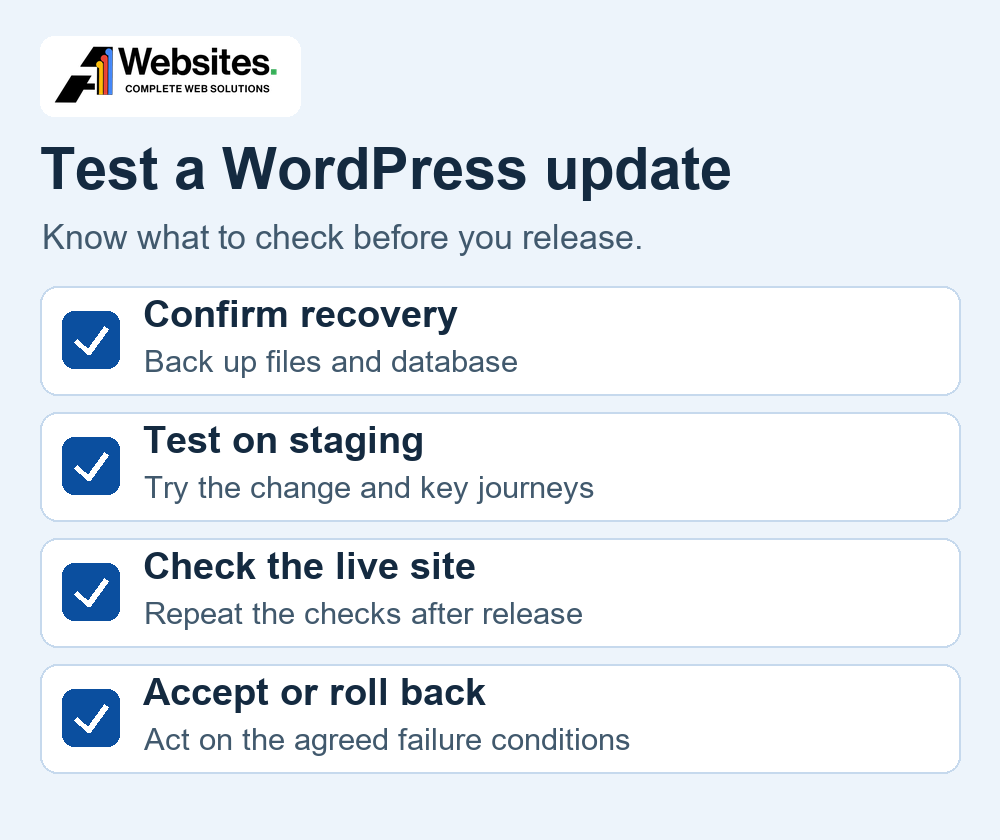
- Record the starting point. Note the current versions, form URL and destination. Submit a labelled baseline test. Confirm receipt and the reply address. Take a fresh files-and-database backup and confirm access to the tested restore route.
- Test the same change on staging. Apply the planned update on a protected copy with a compatible PHP and plugin setup. Use a test inbox and analytics setup. Try a valid and an invalid submission, and verify that the success event fires only on the valid one.
- Apply and recheck live. Apply the same update in the agreed window. Open the site signed out and repeat the checks using approved test data. Compare the time of any new errors with the update time.
- Act on the agreed failure conditions. A success message without an email counts as a failed check. Record the evidence and revert the affected component if its prior version can read the current data. If the update changed the database, use the tested recovery plan and preserve new enquiries before restoring older data. Repeat the live checks after recovery.
Check the customer journeys after changes
Forms and email delivery
Try a real enquiry path from a mobile service page, including required-field validation and attachments if used. Confirm receipt in the intended inbox or CRM, the sender and Reply-To, and any acknowledgement the customer should receive. A1 has verified live form delivery and Reply-To as separate checks. If a message is missing, check the sending service and recipient spam or quarantine. Use timestamps to trace a test before sending more. Keep test enquiries out of sales reporting.
WooCommerce checkout, stock and orders
Use the gateway’s test mode on protected staging. Test a product variant, a coupon where used, shipping and tax, a successful payment and a failed payment. Check that the order appears once, stock changes as expected, the right people receive notifications, and the order reaches fulfilment. Include cancellation or refund and stock handling where relevant. Keep staging disconnected from live payment and dispatch. WooCommerce update and store verification guidance.
During a change that affects checkout or order data, agree how you’ll manage live sales. If orders were placed after a backup, a full restore may remove their WordPress records while the gateway still shows payments. Reconcile orders, stock, fulfilment and payments before reopening checkout.
Analytics and conversion tracking
Check whether the intended event reaches the correct analytics property after a real success signal. For example, verify a lead event after confirmed form submission rather than on every button click. For purchases, check the transaction ID, value, currency and duplicate handling. Use a separate test property or a deliberate test plan. DebugView can help confirm receipt but consent can affect what appears. Preserve the agreed consent behaviour and keep tests out of production reporting where possible. Google Analytics DebugView.
Review hosting, performance and search visibility
Use Tools → Site Health and your host’s dashboard to review PHP, scheduled tasks and storage. Compare the current PHP version with WordPress recommendations and PHP’s support timetable. Test a compatible upgrade in staging with the active plugins and theme. Keep a named owner for domain renewal and HTTPS certificate alerts. Check that the live site opens securely and that HTTP points to the intended HTTPS address. WordPress Site Health, WordPress requirements and PHP support dates.
Check the homepage and a few valuable templates, such as a service page, product page or checkout. A monitor can confirm a page responds. Test the menu, phone link and next step by hand to check the journey. Core Web Vitals track loading, responsiveness and visual stability. Use Search Console field data where available and a repeatable lab test for diagnosis. A single lab run reflects one test setup. See Google’s Core Web Vitals guidance, A1’s page speed guide and mobile website audit.
After a theme or SEO plugin change, check that key URLs return the expected response and show the intended title, description, canonical and indexing directive. Check that the sitemap lists the pages you want indexed. In Search Console, compare the indexed version with a live test when diagnosing an important page. Fix broken links at their source. Where a URL permanently changes, redirect it to its closest relevant destination and update links to point directly there. For a larger move, use the website handover and SEO checklist or discuss redesign planning. Google URL Inspection and Google redirect guidance.
Agree what your maintenance arrangement covers
One supplier can handle several tasks. Ask for a written scope showing who owns the work, how often it happens, what they check afterwards and who responds when something fails.
| Service area | Business owner and professional responsibilities |
|---|---|
| Managed hosting | Owner. Confirm account access, renewal dates and where to report outages. Provider. Check server, TLS, backups and support coverage in the hosting agreement. See managed WordPress hosting. |
| Software maintenance | Owner. Identify critical features and approve a release window. Maintainer. Review compatibility, test and apply agreed updates, verify the result and handle rollback. |
| Security and monitoring | Owner. Manage staff access, use two-factor authentication and name an alert contact. Provider. Define monitoring hours, alert response, investigation and whether cleanup is included. |
| Content and development | Owner. Maintain ordinary text, hours, product information and photos within your editing role. Developer. Scope new templates, features and integrations separately when needed. See WordPress development. |
| SEO management | Owner. Report missing pages, outdated content or unexpected enquiry changes. SEO provider. Agree which technical checks are routine. Content strategy and ongoing search improvement may need a separate scope. See A1’s SEO services. |
| Emergency help | Owner. Keep the escalation contact handy and record the symptoms and recent changes. Provider. Confirm response hours, recovery scope and after-hours charges. Ask how data will be preserved during a recovery. |
Recognise problems that need urgent attention
Act promptly if the site is down, checkout takes payment without creating an order, enquiries stop arriving, browsers show a certificate warning or you see unfamiliar administrator accounts or redirects. A failed backup with no recent usable copy also needs attention. Record the affected URL, time and last known change. Contact the supplier who can investigate and preserve relevant records. For suspected compromise, use the NCSC business incident guidance.
If your site is overdue for maintenance, start with a recovery check and a test of the journeys customers use most. A1 can help scope website maintenance and troubleshooting. Talk to Marcus with your website address, the tasks your team already handles and what you need help verifying.