
Shopify is a good first option for a New Zealand store that can use a standard checkout and wants its hosting managed as part of the subscription. WooCommerce is a good first option when a business already relies on WordPress, needs more control over its store or has a workflow that fits a tested extension. In either case, check the payment gateway, shipping rules and stock system before choosing a theme or signing up for a plan.
Start by writing down what happens from the moment a customer chooses a product to the moment an order is dispatched, refunded or reconciled. If a retailer needs an existing merchant account, rural delivery rates or shared stock with a shop counter, that requirement can decide the platform. This guide focuses on the store decision. For a wider website decision, see A1’s comparison of WordPress, Wix, Squarespace and Weebly.
Shopify and WooCommerce at a glance
Shopify is a hosted commerce service with an admin for products, orders and inventory. WooCommerce is an open-source store plugin that runs on WordPress. You can choose a host for WooCommerce or pay for a managed service. Write the name of the person or supplier who will do each job next to the relevant row when you compare proposals.
| Store requirement | What to check on each platform |
|---|---|
| Hosting and access | Shopify: Hosting and TLS are included. The business should control the store owner account, domain and billing. WooCommerce: Choose hosting and confirm access to WordPress, files, database and backups. Ask what the hosting contract covers. |
| Day-to-day work | Shopify: Staff use Shopify admin. Check how many staff accounts the plan allows. WooCommerce: Staff work in WordPress and WooCommerce. Check permissions and how installed extensions affect everyday tasks. |
| Catalogue and stock | Shopify: Collections, variants and stock locations. Test the largest product and the intended stock connector. WooCommerce: Categories, attributes and variations. Confirm how multi-location stock and any external stock system will work. |
| Payments and checkout | Shopify: Shopify Payments or an eligible external provider. Check plan fees and which checkout changes the plan supports. WooCommerce: Choose a gateway extension. Test it with the actual cart, checkout and other installed extensions. |
| Shipping and fulfilment | Shopify: Set up shipping profiles and rates. Verify the plan and connector for live carrier rates. WooCommerce: Start with shipping zones and methods. Check extension coverage for your courier, rates and dispatch workflow. |
| Search and store design | Shopify: Built-in SEO defaults and theme controls. Account for standard paths such as WooCommerce: More control through WordPress permalinks, themes and plugins. Assign responsibility for consistent SEO settings. |
| Updates and recovery | Shopify: Shopify runs the platform. Store changes, apps, access and recovery planning still need an owner. WooCommerce: Agree who handles WordPress, WooCommerce and extension updates, backup restores and incidents. |
Who will run and maintain the store?
Shopify’s subscription includes secure hosting. Your team still looks after its account permissions, product data, apps, theme changes and integrations. Decide how you’ll recover from an accidental bulk edit or an app removing data. Check which exports and backups are available, what they cover and how you’d restore them.
With WooCommerce, you or a supplier choose the hosting environment. Confirm who handles security patches, updates, monitoring and backups. A managed host can take on some work, so ask where its responsibility stops. A usable recovery plan covers both files and database, includes a test restore and deals with orders placed since the last backup. WooCommerce’s update and backup guidance.
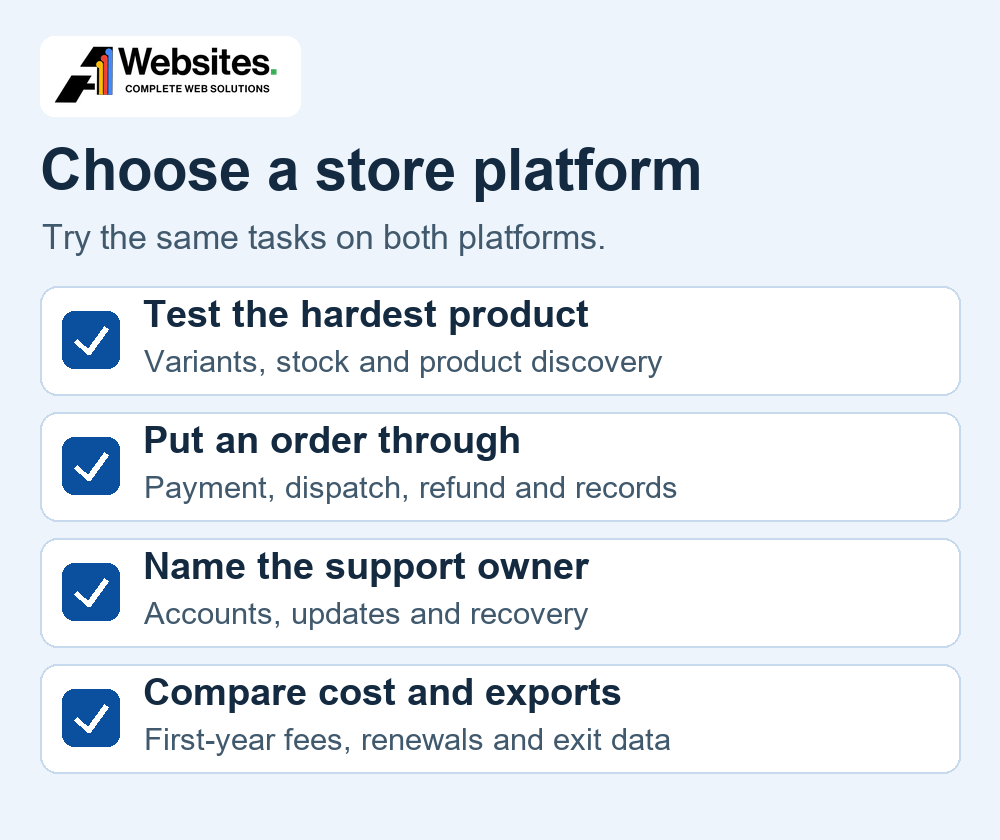
Give a staff member the same tasks to try on both shortlisted setups. Have them adjust stock, change a collection or category, fulfil an order, issue a partial refund and find the payout for that sale. Decide who can do each task and whether the business can recover its accounts if a staff member or supplier leaves.
Test your hardest product and stock workflow
Use the product that takes your team longest to set up. A shoe might need size, colour and width, each with its own SKU and stock count. An optional gift message can be an order detail because it has no stock of its own. This distinction keeps the number of variants manageable and helps prevent the wrong item being picked.
Shopify documents up to three options and 2,048 variants per product. Check the theme, apps and sales channels with your largest product because support can differ. WooCommerce uses attributes and variations, with controls such as price, stock and image at variation level. Test a realistic variation count with the chosen hosting, theme and extensions. Shopify variant rules and WooCommerce variable products.
Decide which system controls the stock figure. If you sell online and in a shop, test what happens when the last unit sells in person while it’s also in an online basket. Run an out-of-stock test, a return and a partial fulfilment. Ask how delayed syncs and duplicate orders will be detected and corrected.
A1’s Shopify work on the JG Rackets Tennis Hub illustrates how a specialist retailer can organise products around the way customers choose equipment. The About Beauty project brings treatment information, skincare and shopping into the same customer journey. See the published project examples.
Check New Zealand payments, shipping and GST
Payment gateways and checkout
Shopify Payments is available to eligible New Zealand businesses. It supports major cards and accelerated options including Apple Pay, Google Pay and Shop Pay. WooPayments also serves New Zealand merchants. WooCommerce can use other providers through extensions. For example, a Windcave gateway is listed in the WooCommerce marketplace. If an existing merchant agreement is essential, ask the gateway to confirm the exact integration, supported checkout, settlement currency and charges. Shopify Payments methods in NZ, WooPayments NZ and the Windcave extension.
With Shopify Payments as the sole provider, the standard processing rate applies without Shopify’s third-party transaction fee. An eligible external gateway can bring its own charges plus a Shopify fee on applicable orders. When Shopify Payments runs alongside a direct third-party provider, Shopify’s plan-based third-party fee applies to transactions that provider processes. Transactions routed through Shopify Payments, such as Shop Pay and local payment methods, incur its standard rate plus a 1.25% premium under this arrangement. The premium also applies when Shopify Payments recovers an eligible failed card payment. Compare the actual setup, including overseas cards, currency conversion, refunds, disputes, payouts and reconciliation. Shopify’s mixed-provider fee rules.
If you need a trade account field, a special delivery rule or different payment options for different customers, test that rule at checkout. Shopify documents plan restrictions for apps that customise the information, shipping and payment pages, which require Plus. Other kinds of checkout customisation have different plan rules. With WooCommerce, confirm the extensions support your chosen block or classic checkout and work together. Shopify checkout app availability and WooCommerce store editing guidance.
Shipping and fulfilment
Separate the rate shown at checkout from label printing, tracking and the order sent to a warehouse. NZ Post lists different integrations for Shopify and WooCommerce, with features that depend on the connector. Shopify’s third-party carrier-calculated shipping is included on Advanced and Plus. Grow can access it with annual billing or a paid monthly add-on. Confirm any app’s exact requirements before budgeting for it. WooCommerce can configure shipping zones and methods and use extensions for carrier rates. NZ Post’s integration directory, Shopify carrier-rate requirements and WooCommerce shipping zones.
Test actual addresses and baskets. Include urban and rural delivery, a South Island destination if relevant, an oversized item, a mixed basket, free shipping and pickup. Confirm the warehouse can receive an order, send tracking back, handle a split shipment and recover if a sync fails. Start with simple rates if they cover your actual delivery costs and customer needs.
GST on orders and supplier bills
Inland Revenue says registration is generally required if taxable turnover was at least NZ$60,000 in the past 12 months, is expected to reach that amount in the next 12 months, or you add GST to prices. GST is 15% on most taxable supplies from registered businesses. Confirm how GST should be shown and recorded for your orders, shipping, discounts and returns. Test that the storefront, checkout, receipt and accounting export agree. Check your subscription and payment-provider invoices separately. Inland Revenue’s GST registration guidance and guidance on charging GST.
Compare the full first-year cost
Use the same order volume, payment mix and features on each side. Shopify’s plan includes hosting. WooCommerce’s core software has no platform licence fee or revenue share, and the operating budget depends on your host, extensions and support. Compare quoted renewal prices after introductory offers. WooCommerce’s core pricing model.
Published prices checked on 13 November 2026. The table uses Shopify’s published USD subscription schedule. Annual prices are monthly equivalents billed yearly. The card processing figures are separate NZ rates and use NZD for the fixed charge. Other card types and payment methods can cost more. Figures are before applicable GST. Shopify’s NZ pricing page, published monthly plan prices, published yearly plan prices and WooPayments’ NZ fee schedule.
Shopify’s NZ pricing page can also display prices in NZD. Shopify documents NZD billing for eligible NZ merchants on plans other than Plus and prices subscriptions directly in NZD when local billing is active. Confirm your store’s plan price and currency in Shopify under Settings → Billing. If Shopify bills your subscription in USD, your NZD cost depends on the exchange rate, any card-provider conversion fee and applicable tax. Shopify’s local-currency billing rules.
| Plan or service | Subscription and transaction costs |
|---|---|
| Shopify Basic | US$39 monthly or US$29 per month equivalent billed yearly. Standard online cards 2.65% + NZ$0.30 with Shopify Payments. Shopify third-party transaction fee 2% where applicable. |
| Shopify Grow | US$105 monthly or US$79 per month equivalent billed yearly. Standard online cards 2.45% + NZ$0.30 with Shopify Payments. Shopify third-party transaction fee 1% where applicable. |
| Shopify Advanced | US$399 monthly or US$299 per month equivalent billed yearly. Standard online cards 2.35% + NZ$0.30 with Shopify Payments. Shopify third-party transaction fee 0.6% where applicable. |
| WooPayments | WooCommerce core has no licence fee. Budget for hosting, extensions and support. WooPayments has no monthly fee for online payments. NZ base card rate 2.90% + NZ$0.30, with extra charges for international payments or currency conversion where applicable. |
Shopify says it applies 15% GST to NZ bills unless a GST-registered merchant adds their IRD number to the store’s billing profile. WooPayments also states that 15% GST applies to its NZ fees and that it does not charge GST to registered merchants who supply a valid GST ID, under its stated reverse-charge treatment. Check how each charge appears on your invoices and use the same GST basis in both budgets. Shopify’s NZ billing GST rules.
Illustrative payment-processing costs. For 200 hypothetical NZ$100 orders paid with standard domestic cards, Shopify Payments Basic is 200 × (NZ$100 × 2.65% + NZ$0.30) = NZ$590. WooPayments is 200 × (NZ$100 × 2.90% + NZ$0.30) = NZ$640. This uses Shopify Payments as the sole provider and the WooPayments base rate. It excludes subscriptions, hosting, apps and extensions, development, support, fulfilment, GST on fees, currency conversion and any fees for mixed providers, refunds or disputes.
- Before launch. Price design, catalogue preparation, migration, checkout setup, integrations and training.
- Monthly or yearly. List subscriptions, hosting, domain, app and extension renewals, monitoring, maintenance and support.
- Per order or on demand. Include processing, any extra platform fee, currency conversion, refunds, shipping, pick-and-pack charges and manual admin time.
- As the business grows. Price additional staff accounts, locations, app usage, storage, hosting capacity and more demanding integrations.
To estimate year one, add the one-off work, 12 months of recurring charges and expected order-related costs. Record each fee’s billing currency, renewal date and GST treatment. Keep a separate line for staff time spent fixing failed imports or reconciling orders by hand. For build and migration costs, use the same statement of work with both proposals. See A1’s guide to website cost factors in NZ.
Compare customisation, search and performance
Before adding an app or extension, record the job it does, who maintains it, how it is priced and what happens to its data if you remove it. Shopify’s theme and app model can cover a wide range of standard store needs. WooCommerce gives you access to the WordPress theme and plugin code and the underlying hosting environment. That can help with specialised rules, provided someone can test and maintain the result.
Shopify generates sitemaps and canonical tags and lets you edit titles, descriptions and URL handles. WooCommerce gives you WordPress permalink settings and the option to configure SEO through themes or plugins. On either platform, check the actual rendered metadata, product structured data and which category or collection pages you want Google to index. Check filter URLs separately. Make the main category useful and link to it from navigation and related content. Shopify’s SEO controls and Google’s guidance on filter URLs.
Compare real product and category templates on a phone with the intended images, reviews and tracking scripts in place. Test cart and checkout as well as the homepage. On WooCommerce, ask the host how it handles busy periods and caching for cart and checkout. On Shopify, look at the effect of themes, apps and third-party scripts. A meaningful comparison uses the same catalogue and customer journey on both.
Three hypothetical New Zealand stores
Nelson skincare retailer with a small team
The owner manages a compact range, ships from one location and wants two people to handle products and orders. Shopify is a sensible first option if the team can use standard checkout and NZ delivery rates. The NZ plan comparison lists no additional staff accounts on Basic, so budget for a plan that gives both people appropriate access. Ask both staff members to process a return and test a rural delivery address before settling on the plan.
Canterbury trade supplier with an established WordPress site
The site already houses product manuals and technical guides. A trade store needs account-specific pricing, a purchase-order field and bulky freight rules. WooCommerce is a sensible first option if the chosen extensions work together and the business has funded maintenance. Test two trade accounts and a retail account on the same products and confirm who can see each price and shipping option.
Wellington retailer selling online and across two shops
It already has a point-of-sale system, an inventory feed and a dispatch partner. Start with the connectors and stock ownership. Shopify could fit if the retailer can consolidate those jobs or verify its existing connections. WooCommerce could fit if retaining the existing systems is essential and their connectors are supported. If the current store already handles the critical jobs, price a focused improvement as a third option. Test an online order, in-store return and stock adjustment before choosing.
Plan the move and the next handover
- Inventory what must move. Include products, variants, SKUs, images, stock, customers, order history, reviews, gift cards and subscription records where relevant. Mark which system owns each item and which data must stay available for reference.
- Prove an import with a representative sample. Product CSVs can help with core product data. Check custom fields, bundles and images individually. Shopify’s customer CSV cannot import existing passwords or order history. Plan customer sign-in and decide how staff will access old orders and refunds. Confirm recurring payment and gift card portability before promising either. Shopify’s customer import rules and WooCommerce’s product CSV guide.
- Map old and new URLs. Keep useful URLs where possible. Match each moved page to its closest equivalent and test permanent redirects. Shopify documents restrictions on redirects from certain paths and on URLs that still serve a page. Check internal links, canonicals and the new XML sitemap. Shopify’s redirect rules and Google’s site move guidance.
- Reconcile stock and orders at launch. Decide when to take the final export, where new orders go during the switch and how to handle payment callbacks and refunds. Test with a sample order before and after launch. Agree who can pause the release and how new orders will be retained if you roll back.
- Agree the next handover now. Record who owns the domain, store or host accounts, payment account and licences. Check what the business can export, what depends on a vendor and which data needs a separate archive. Keep access and recovery details with the business. See A1’s website handover and SEO checklist.
A checklist before you commit
- Write down the requirements that would prevent launch if they failed.
- Ask the team to demonstrate the hardest product and an order from payment to refund.
- Confirm the NZ gateway, carrier, stock and accounting integrations on the exact plan or extension setup.
- Name the owner for store access, daily admin, updates, backups and incident response.
- Compare first-year costs and renewals using the same assumptions and GST basis.
- If you’re moving a store, check the data export, URL map, cutover and recovery plan.
When both platforms meet the requirements, choose the one your team can run and support with fewer unresolved dependencies. A1 can help you scope an ecommerce project or discuss focused Shopify support or WooCommerce development. Talk to Marcus with your current site, most complicated product and any systems you need to keep.